Mobile Spotting Application

Finally following on from the Spotting when on the fells discussion I’ve got round to implementing something. It is currently beta - I’m looking for feedback if anyone wants to try it and it is not yet installed on a ‘proper’ server so runs on a machine here at my house.

Here was my criteria:

  • Mobile friendly - no more logging in and zooming/scrolling around the main website.
  • Zoom In/Out option - allows the user to pick the most appropriate scale of text for their device.
  • Wainwrights list - provide a convenient, sortable list of Wainwrights for reference.
  • Intelligent create spot defaults - new spot defaults to 145.500 FM.
  • Remember the previous spot information - I hate having to keep entering the same information over and over again.
  • GPS summit selection - one click to select the closest summit.
  • Summit friendly - anything that can reduce the faff whilst on the summit is a good thing.
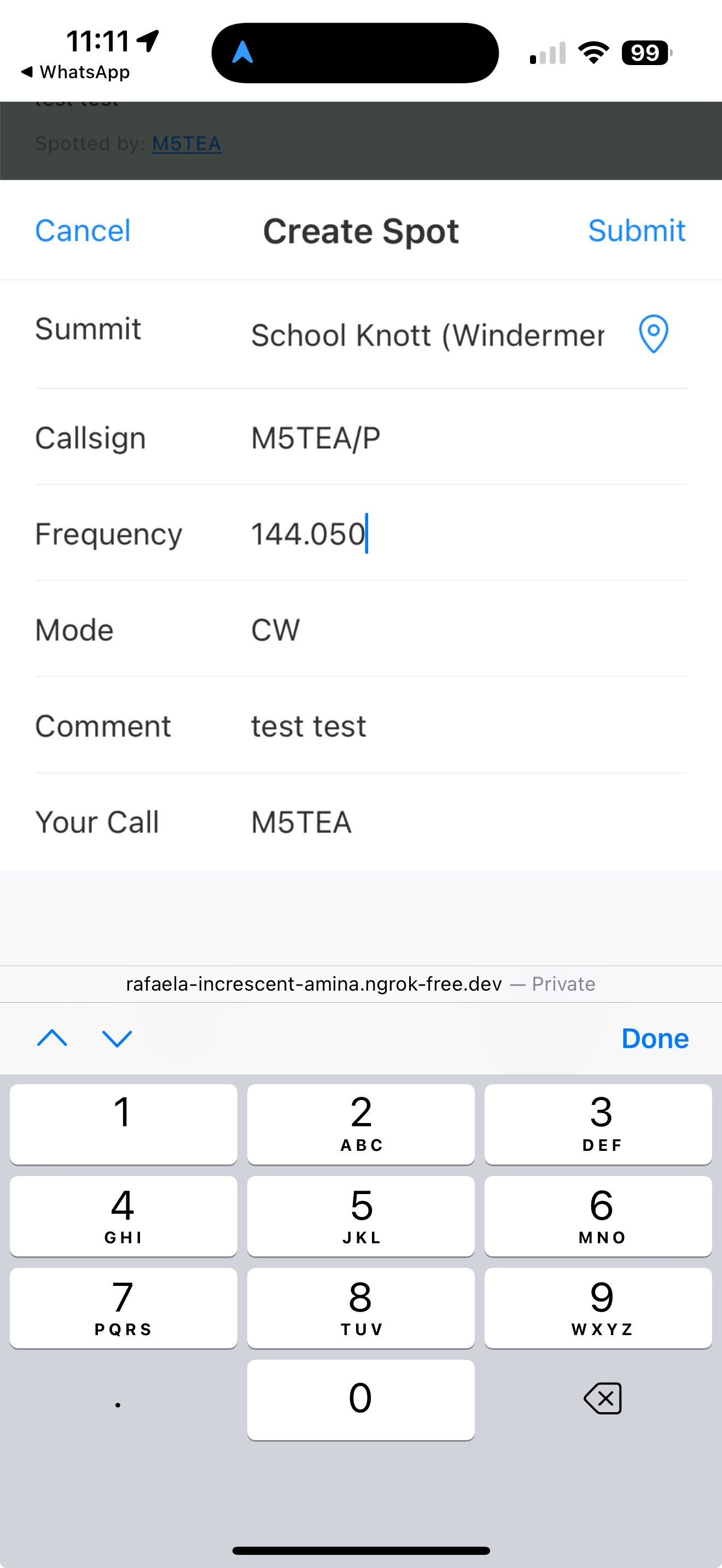
  • Band plan aware - if you enter 144.050 as the frequency the mode should default to CW.

I’m currently focussing on this as an activator tool, but there is definitely a use case for chasers as well. I’ll also be looking to include creating and viewing alerts.

The Spot List

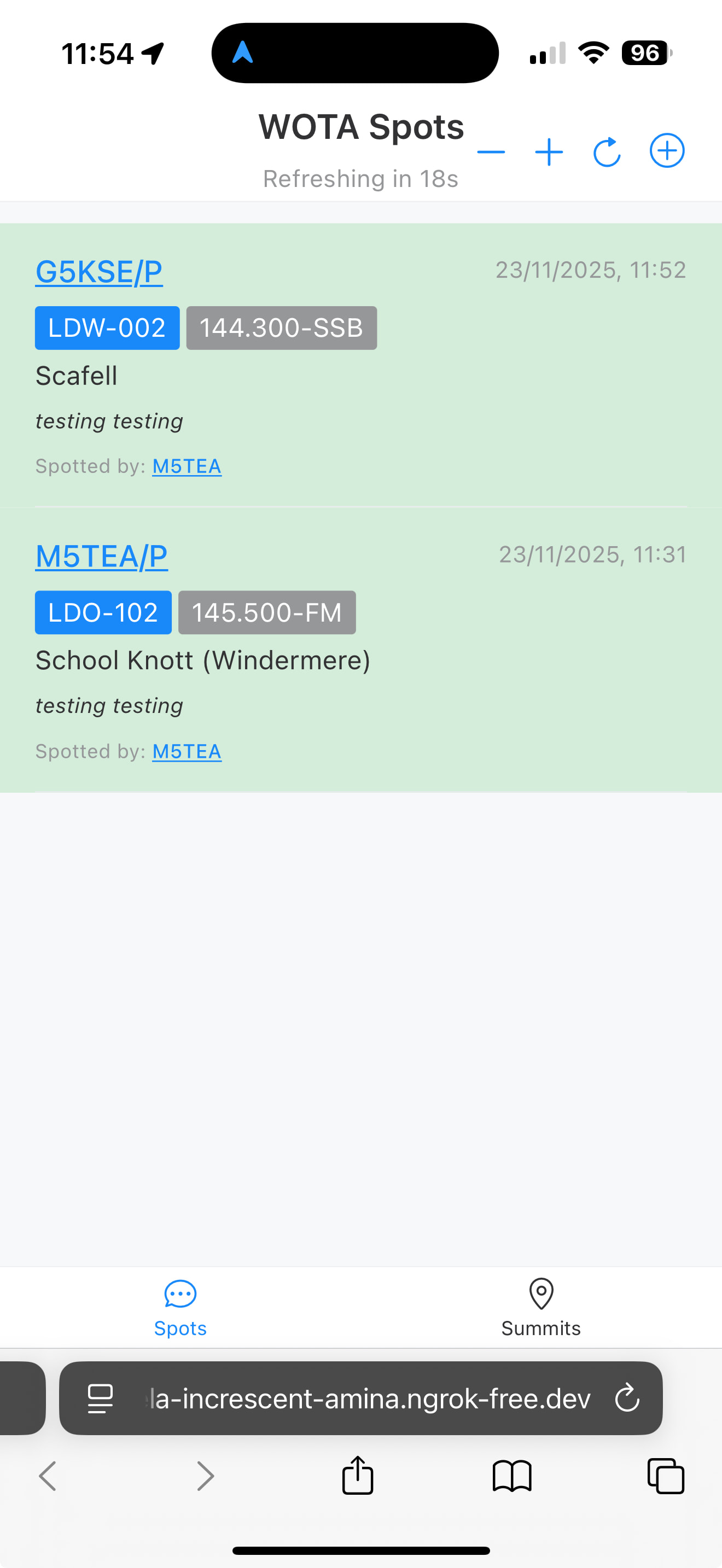
Features of the spots list: in the title bar you have zoom buttons, a refresh now button and an add spot button. The page automatically refreshes every minute.

Each spot contains the callsign of the activator, the summit reference, the frequency, time of spot, the spotter callsign and comment. The spot is highlighted in green if it was submitted in the last hour. Clicking on the callsign links through to QRZ, the summit reference to the main WOTA website.
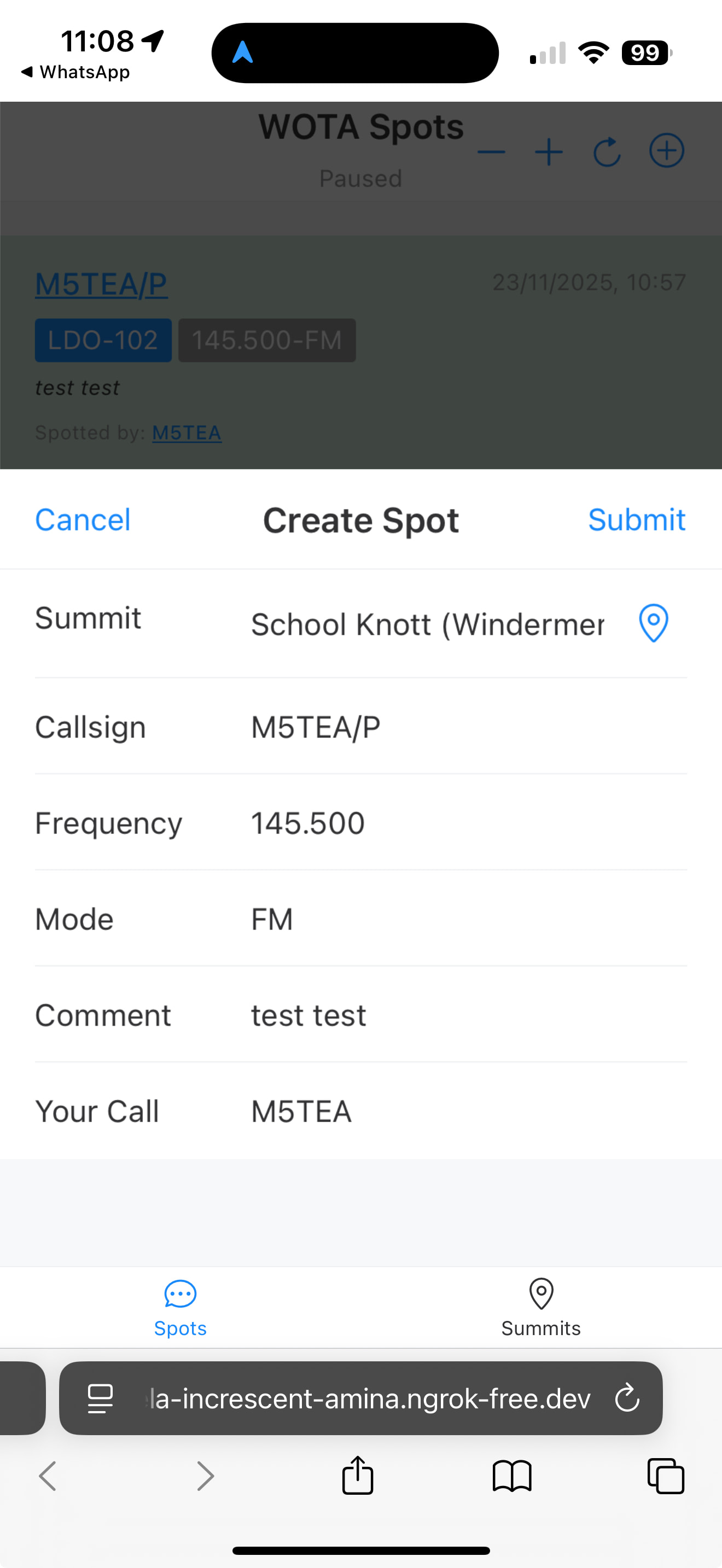
Create Spot Form

I’m trying to design this to be as convenient as possible. The create spot form is pre-populated with the frequency 145.500 and mode FM if blank. The GPS icon automatically selects the nearest summit. The Callsign and Your Call fields default to uppercase.
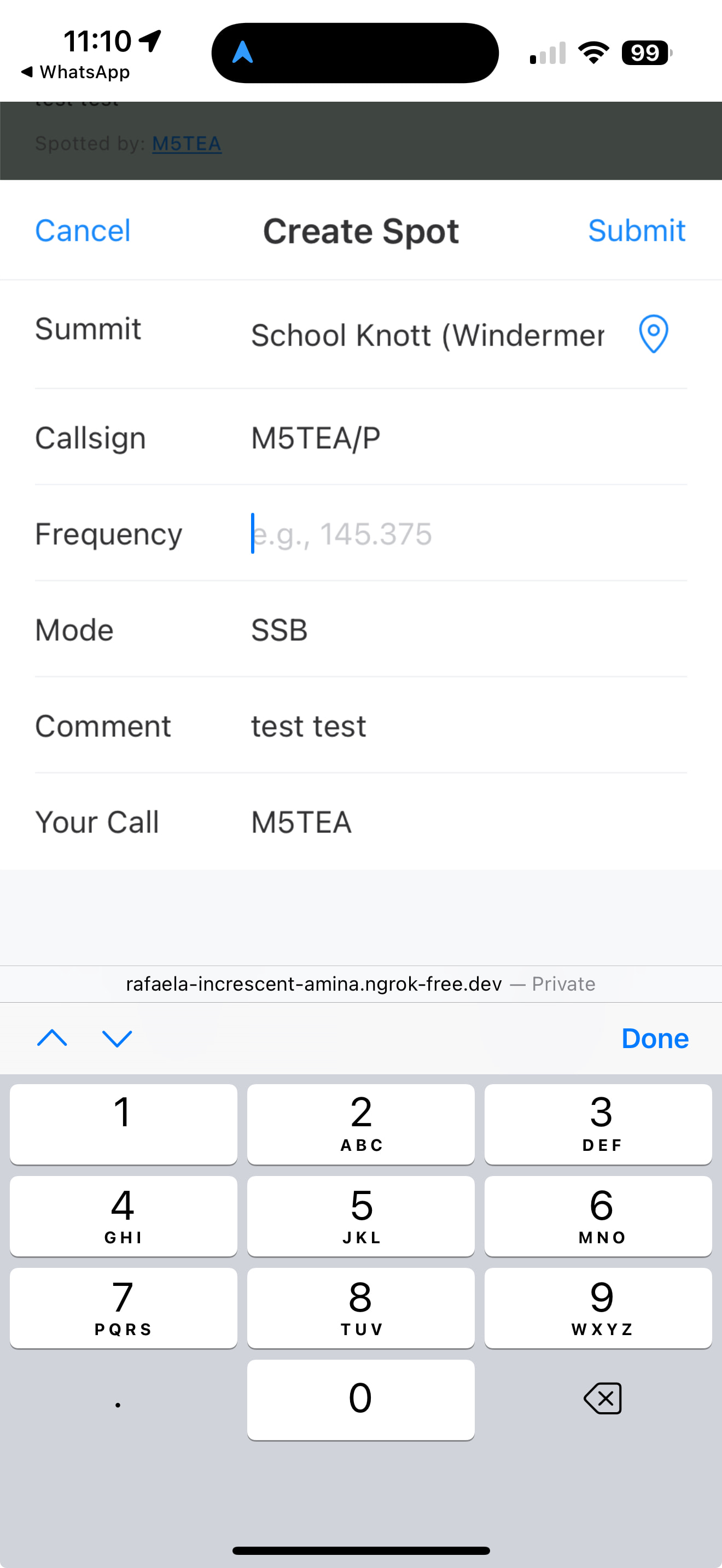
The frequency input uses the numeric keypad:
As you type in the frequency the application is aware of a basic band plan, so for example if you type 144.050 the mode changes automatically to default to CW (this can obviously be overridden if required):
Summits List

The summits page/tab has a list of summits with more information such as height, SOTA reference, grid reference, last activated by etc. This is still a work in progress. HEMA reference needs adding too. You can sort by Wainwright reference, most recently activated or tallest but I will also add an option to sort by the distance from the activator if their location has been set. The National Grid reference can be clicked to take you through to open mapping. I’m assuming it would also be useful to have the WAB square and Maidenhead locator here too.
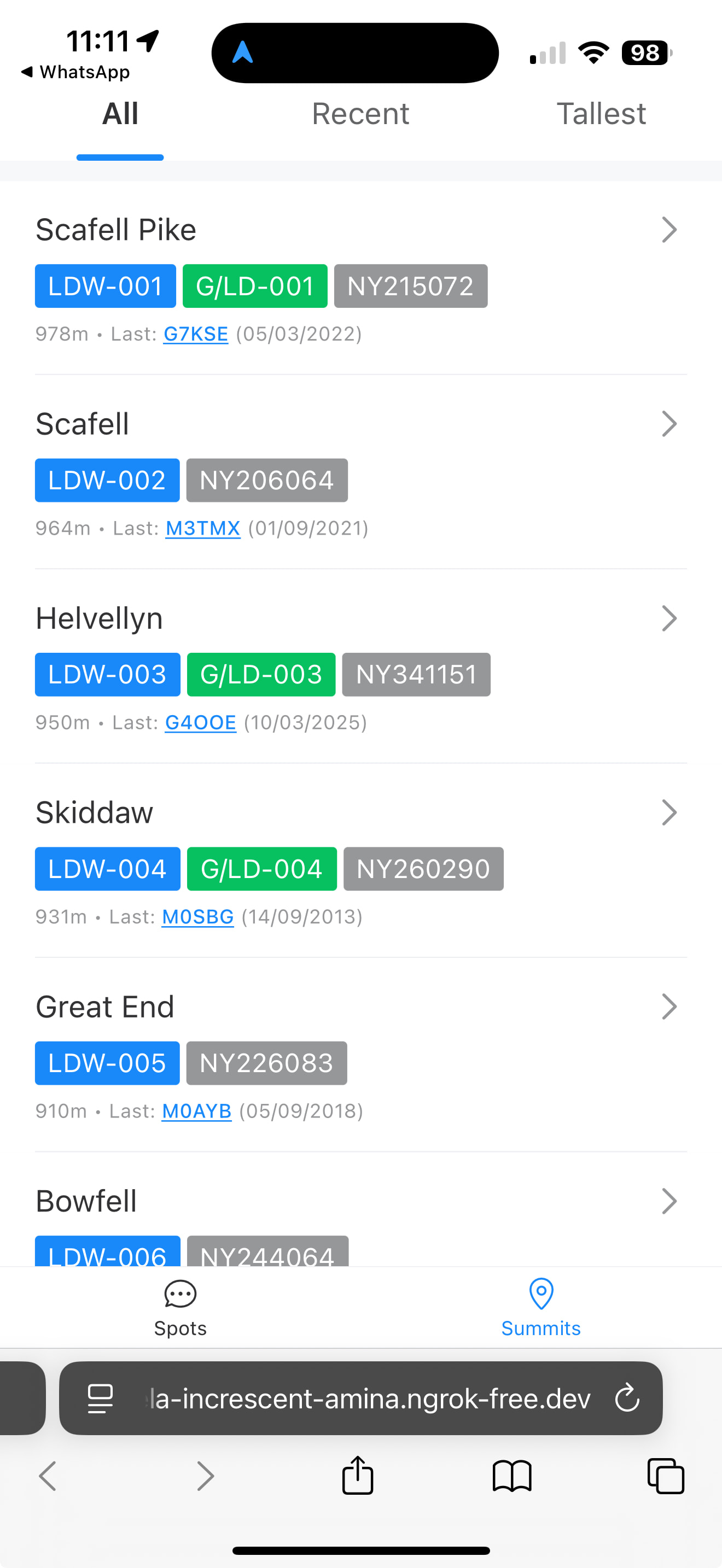
Welcoming any comments on things that currently annoy activators (if you are using a SOTA spotter application then any comments on shortcomings of those that would help) that can be used to improve the experience, or additional information that would be useful. I will add the option to remove a spot that you have created.

Regards, Mark.

1 Like

Hi Mark,

This looks a very useful tool. From what i can see from your description and screen shots it would make spotting far easier and also having all the extra information available would be very useful.

When it is out of beta would it be implemented onto the exsisting Wota site or would it be a seperate app?

I would certainly be interested i trying it.

As has been mentioned before many thanks for all the work you have done on the Wota website and Discourse over the years. I along with many others are extremely grateful for all the time and effort you have put in.

As a seperate thing i wonder how difficult it would be to enable the exporting to a csv file of all the activator and chaser contacts that have been made. I seem to remember some of the code is broken and that being the case it may not be possible?

Again many thanks for all the work you are continuing to do on the Wota site.

73’s Geoff GM4WHA

Hi Geoff.

It will be a running on the same server as this discourse application with a link available from the WOTA site and discourse. It’s a mobile friendly web page so should work on any device, but obviously I’m targeting to be responsive and mobile friendly to encourage folk to spot.

Yes the CSV export functionality is broken. I’m not going near the PHP any more. The bolt on SOTA CSV format import functionality is written in golang and runs on the same server as the main WOTA PHP application. I don’t really want to write any more golang applications (it is a real hack I have to do and works by copying extermally compiled executable files to the server which is far from ideal) which would be the obvious place to implement CSV export. However, now that I will have database access from the discourse server it will be relatively easy to start implementing some of the additional functionality that we need. I’d also like to have an ADIF import facility as with the ADIF Processor that is the result of my workflow naturally, rather than a CSV file.

Cheers, Mark.

I’ll give it a spin Mark. Planning on a trip out to the fells if the weather holds out. At worst I’ve got a few days off around Christmas and @2e0ldf needs to witness my expert timing for activations again :slight_smile:

1 Like

OK Alex, thanks. I’ve literally just got it installed on a server at home with the VPN setup to access the database.

The URL is here: https://rafaela-increscent-amina.ngrok-free.dev

Yes, the URL looks weird - this is because I have to use a https: secure connection otherwise the GPS location functionality wouldn’t work.

The only thing I’ll tell people is that the -/+ buttons in the title bar allow you to set the zoom level on the text to suit your device, and the ⊕ button on the spots tab allows you to create a spot.

I’d rather have your comments on everything after that. The overriding philosophy is that you should have to press as few keys as possible to spot a summit, and even easier to respot on different frequencies/bands etc.

Cheers, Mark.

Will do Mark. you never know…I might actually get out at some point

1 Like