The WOTA Spotter app is now available for general use. The app can be used for self spotting, spotting as a chaser or adding alerts.
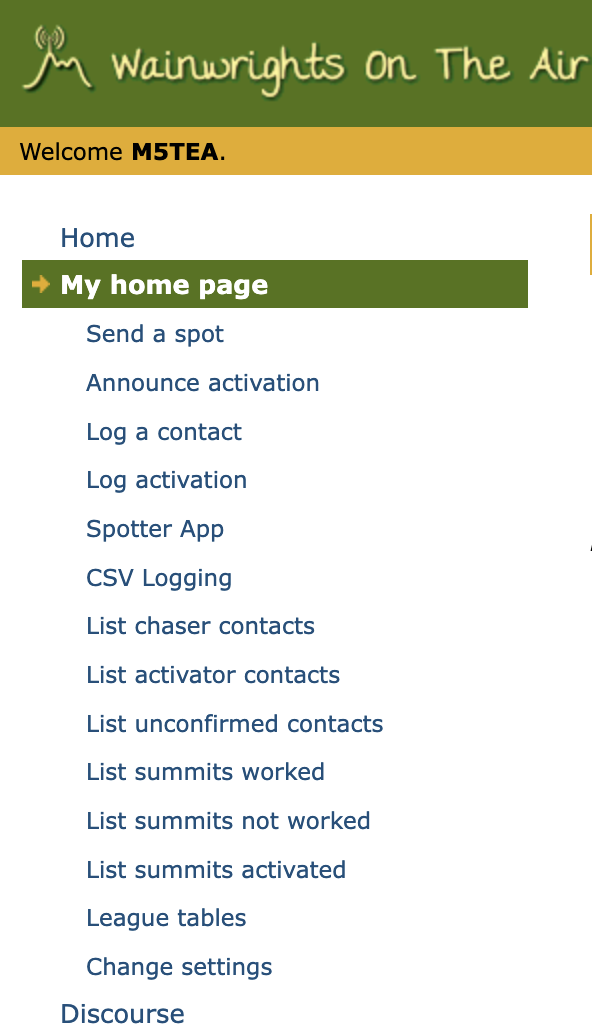
There is a link from the main WOTA page called ‘Spotter App’:
Features:
- Mobile friendly - no more logging in and zooming/scrolling around the main website.
- Zoom In/Out option - allows the user to pick the most appropriate scale of text for their device.
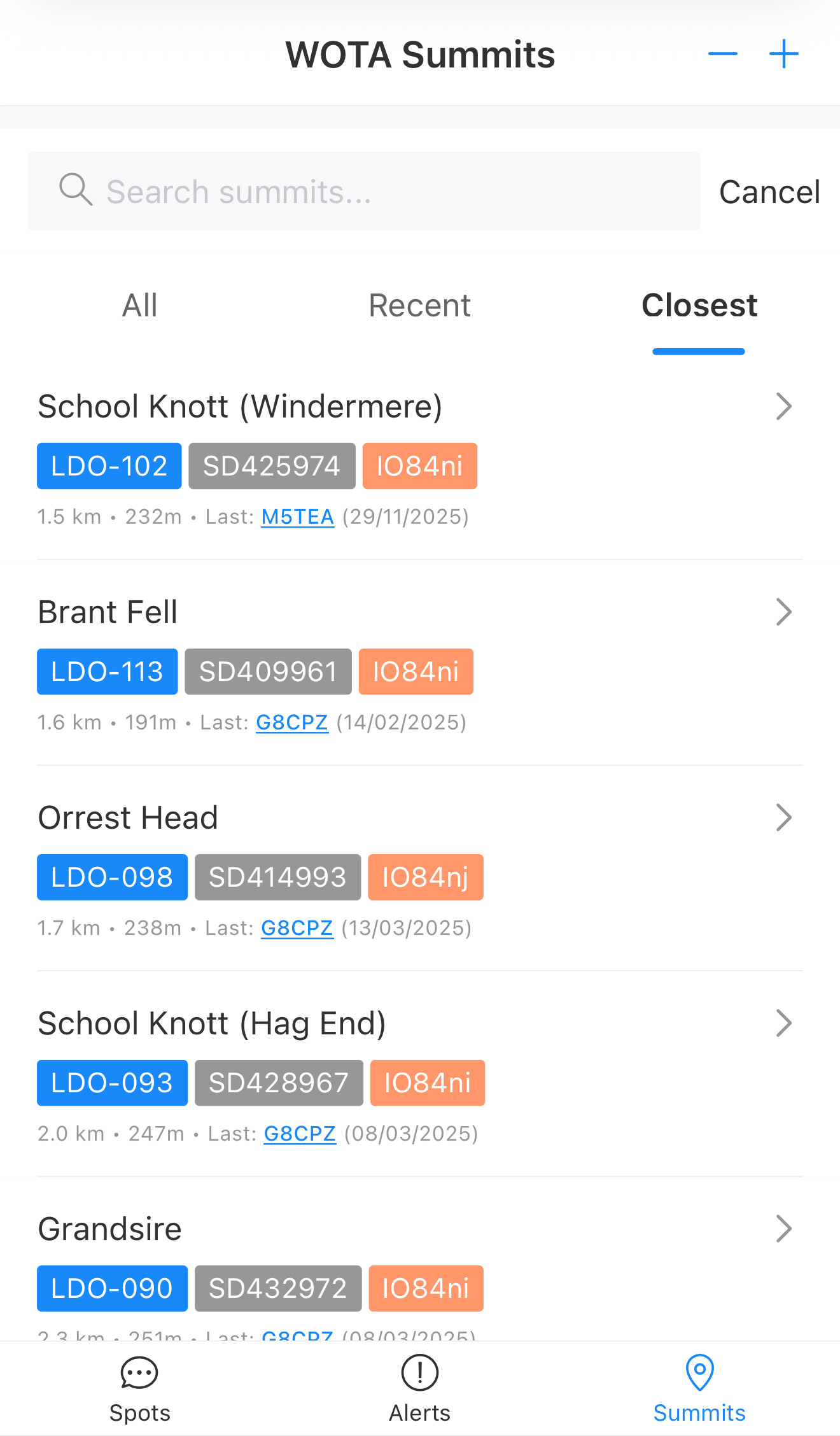
- Wainwrights list - provide a convenient, sortable list of Wainwrights for reference.
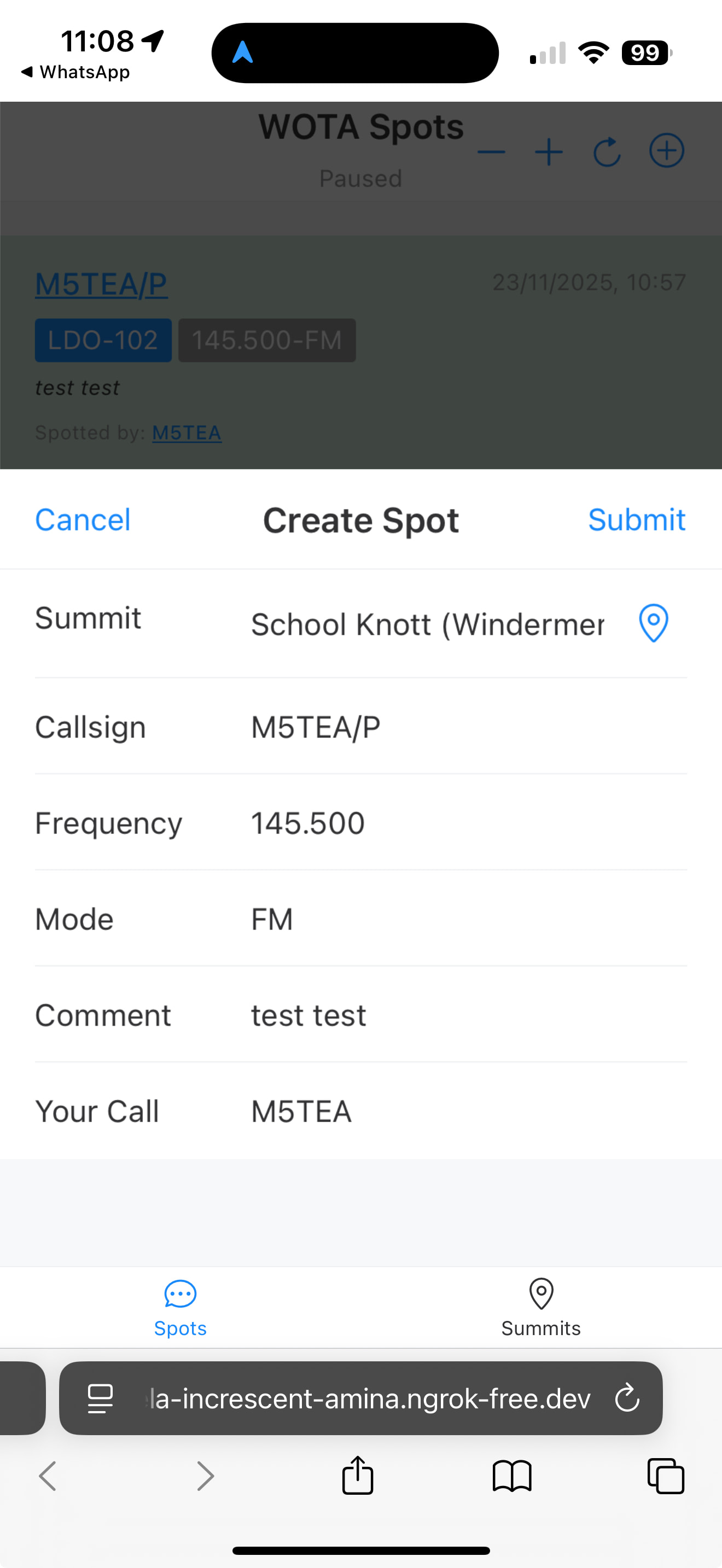
- Intelligent create spot defaults - new spot defaults to 145.500 FM.
- Remembers the previous spot information.
- GPS summit selection - one click to select the closest summit.
- Summit friendly - anything that can reduce the faff whilst on the summit is a good thing.
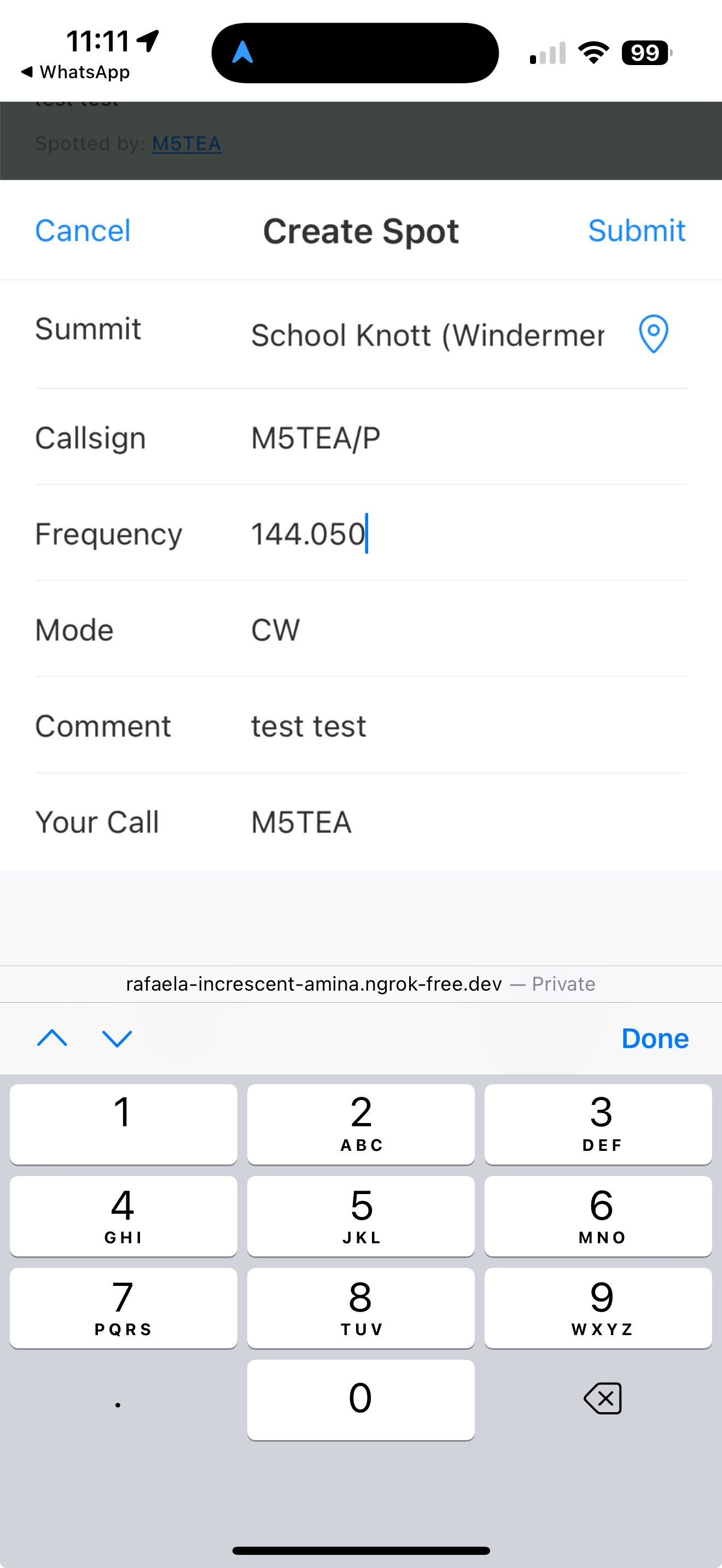
- Band plan aware - if you enter 144.050 as the frequency the mode should default to CW.
The Spot List
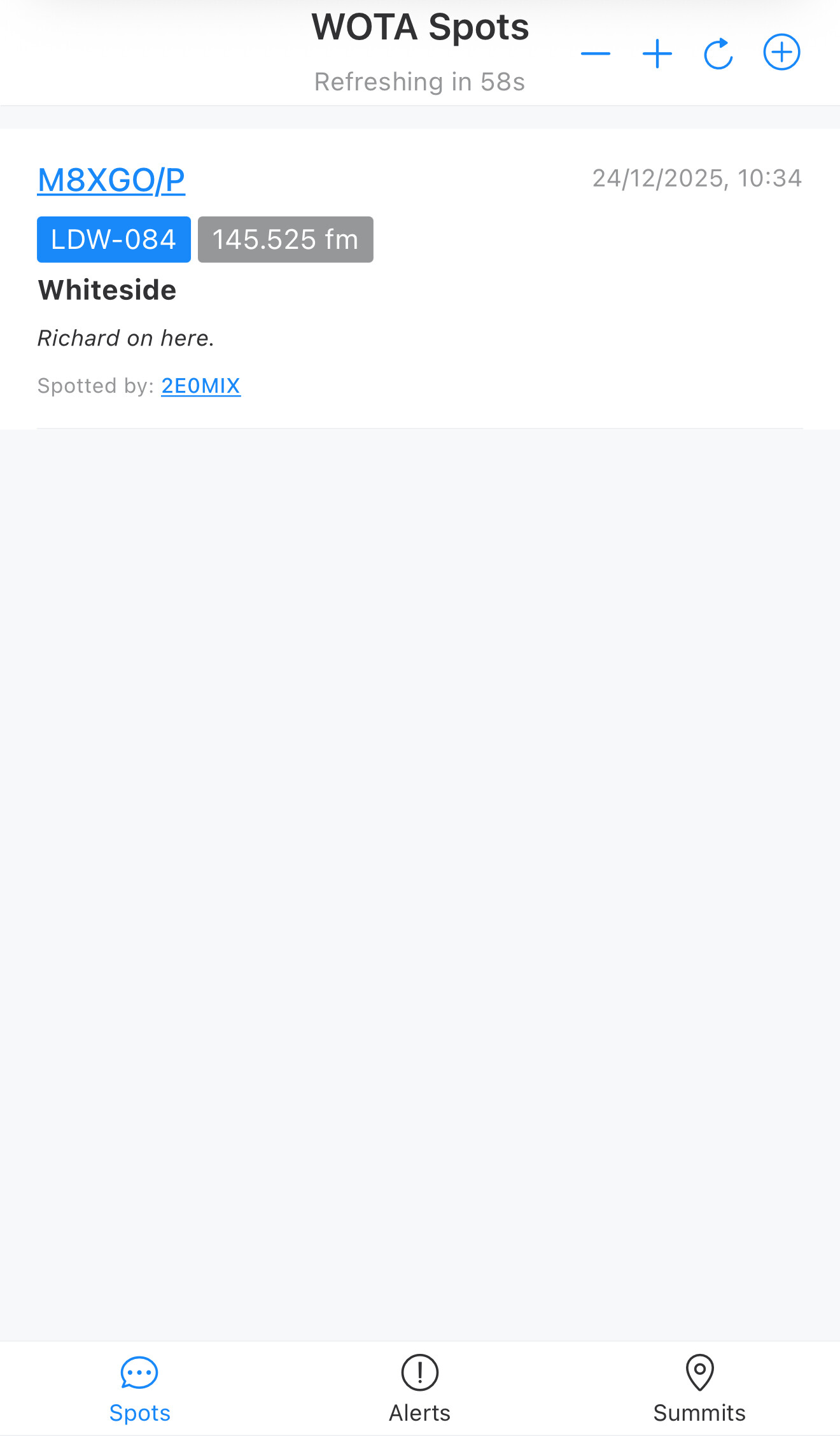
Features of the spots list: in the title bar you have zoom buttons, a refresh now button and an add spot button. The page automatically refreshes every minute.
Each spot contains the callsign of the activator, the summit reference, the frequency, time of spot, the spotter callsign and comment. The spot is highlighted in green if it was submitted in the last hour. Clicking on the callsign links through to QRZ, the summit reference to the main WOTA website.
Create Spot Form
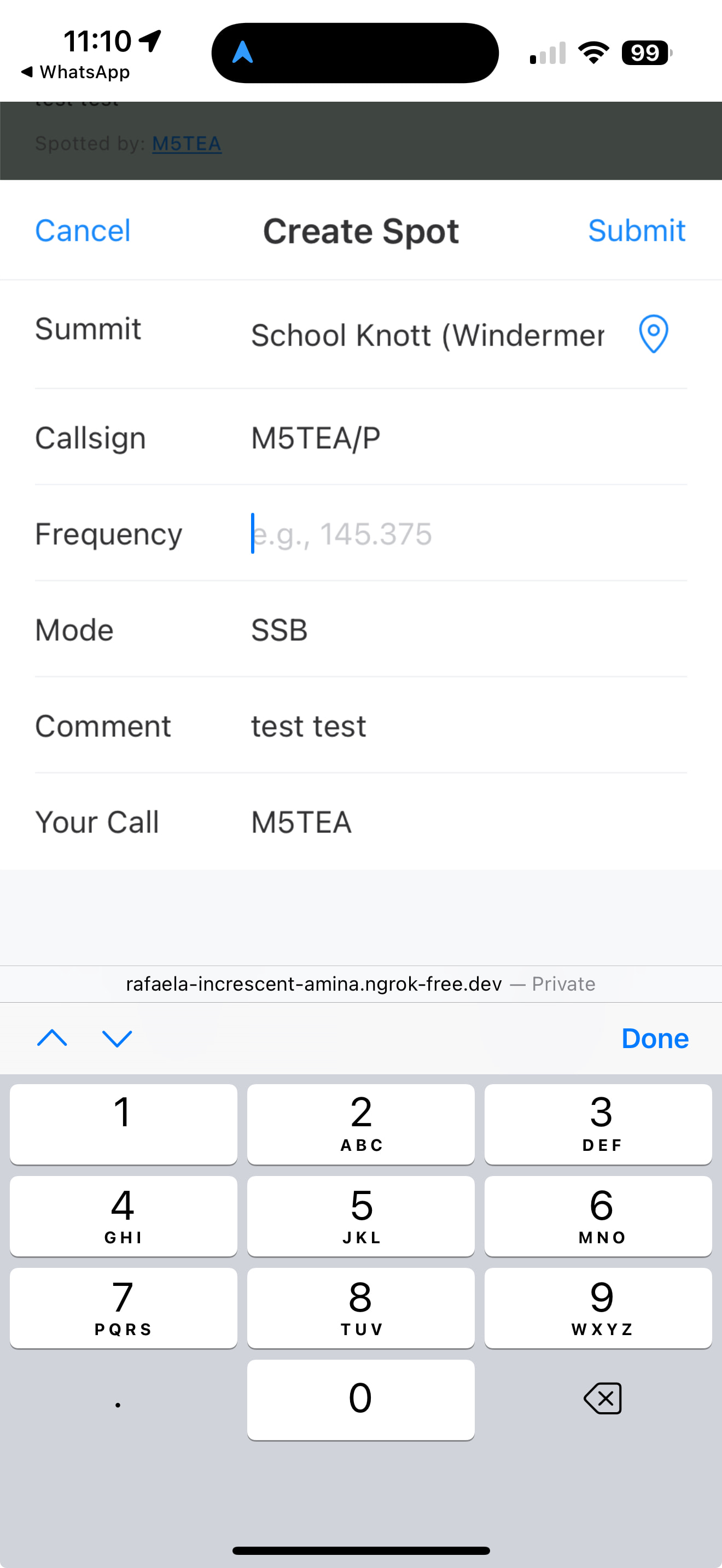
The create spot form is pre-populated with the frequency 145.500 and mode FM if blank. The GPS icon automatically selects the nearest summit. The Callsign and Your Call fields default to uppercase.
The frequency input uses the numeric keypad:
As you type in the frequency the application is aware of a basic band plan, so for example if you type 144.050 the mode changes automatically to default to CW (this can obviously be overridden if required):
Alerts List
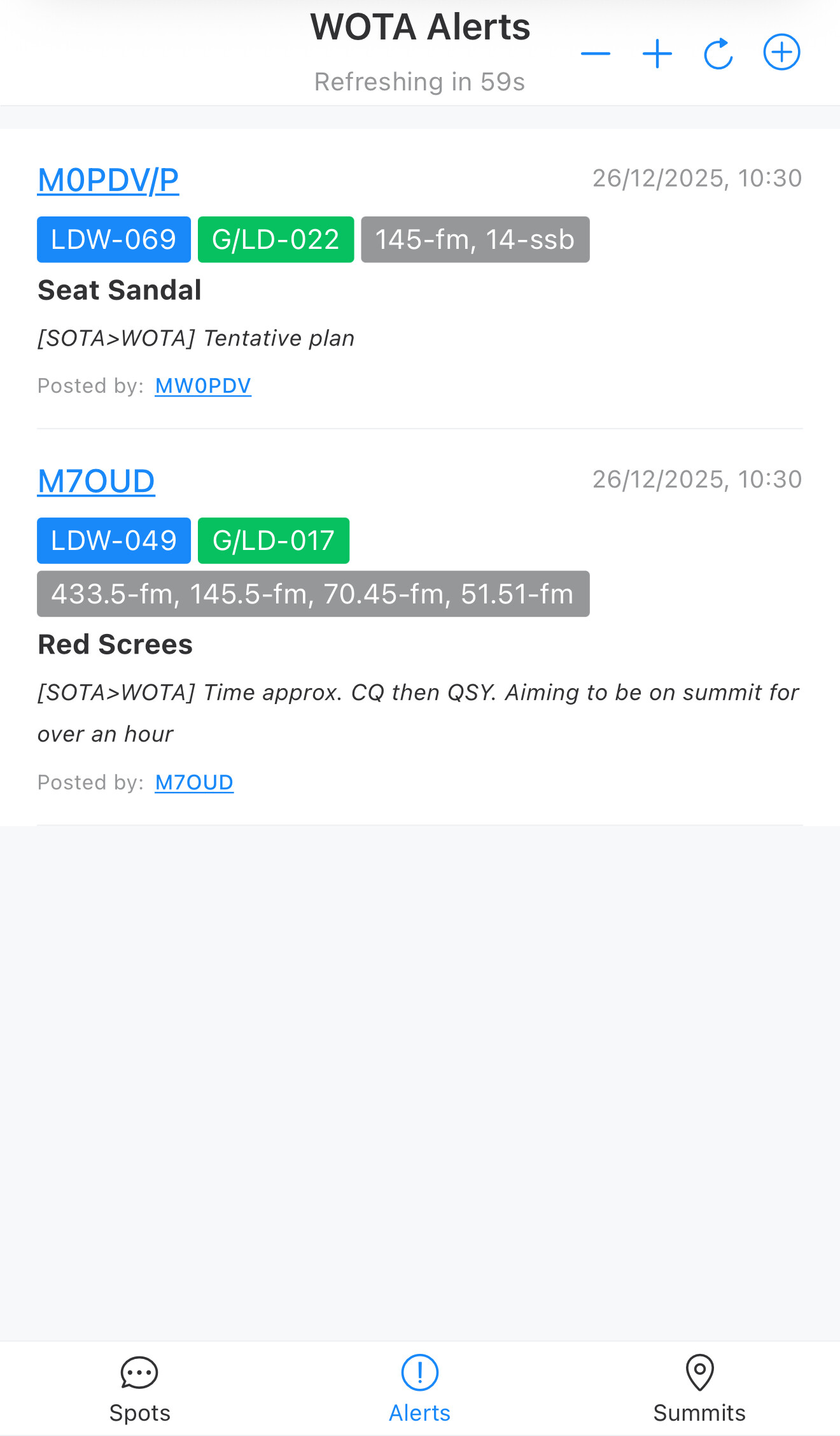
This page shows the current list of alerts. You are able to create an alert from this page.
Create Alert Form
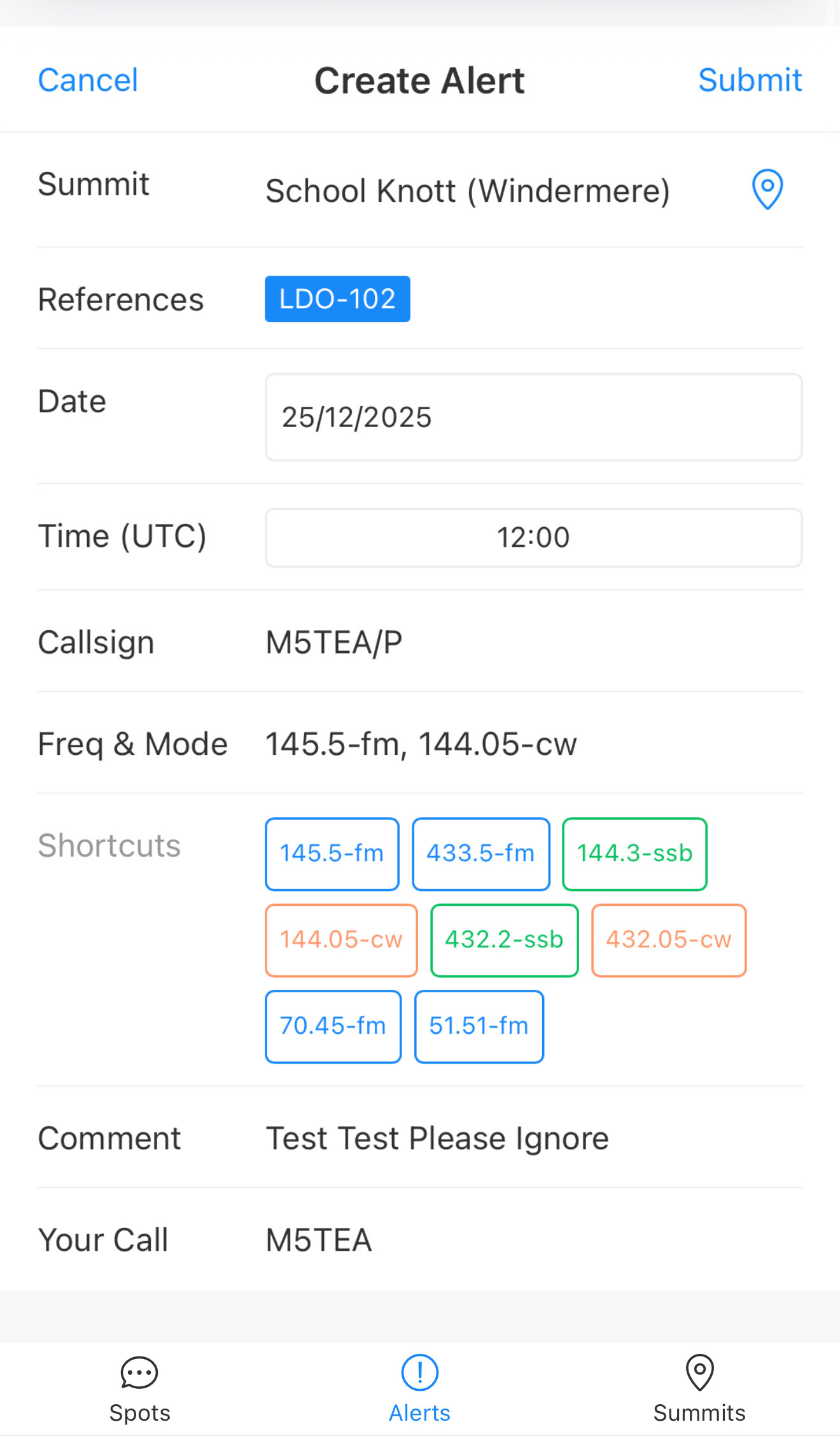
You can create an alert using the form. There are shortcuts for common band/mode combinations.
Summits List
The summits page/tab has a list of summits with more information such as height, SOTA reference, grid reference, last activated by etc. You can sort by Wainwright reference, most recently activated or nearest location. The National Grid reference can be clicked to take you through to open mapping.